tabula
Tools for Behringer X32 / Midas M32 consoles — emulator, remote GUI, show recording.
Access: in-ear mixes for musicians, viewers
One tabula serves every device of the band at once. Each device gets a
role:
| Role | Sees | Changes |
|---|---|---|
| engineer | everything | everything (once writes are armed) |
| musician | their in-ear mix | the sends to their bus from every channel, aux input and FX return, and their bus volume and mute |
| viewer | everything | nothing |
| none | a “no access” page (or the sign-in page) | nothing |
The machine running tabula is the engineer, unless an
engineer password is set: then every browser signs in
with it, that machine included. Other devices get their role from an
access link the engineer makes for them; without one they get the guest
role, none by default (-guest viewer lets anyone on the network watch,
-guest engineer gives everyone full control as before).
At a gig
-
Start
tabulaso the whole network can reach it, connected to the console:tabula -http :8033 -console 192.168.1.62 - On the Access page, make a link for each musician: their name and the bus of their in-ear mix (the list shows the bus names from the console). Viewers and a second engineer device (a tablet at front of house) get links of their role.
- Show the link’s QR code: the musician scans it with their phone, which opens their mix. The phone remembers the access (a cookie); the musician does not need the link again.
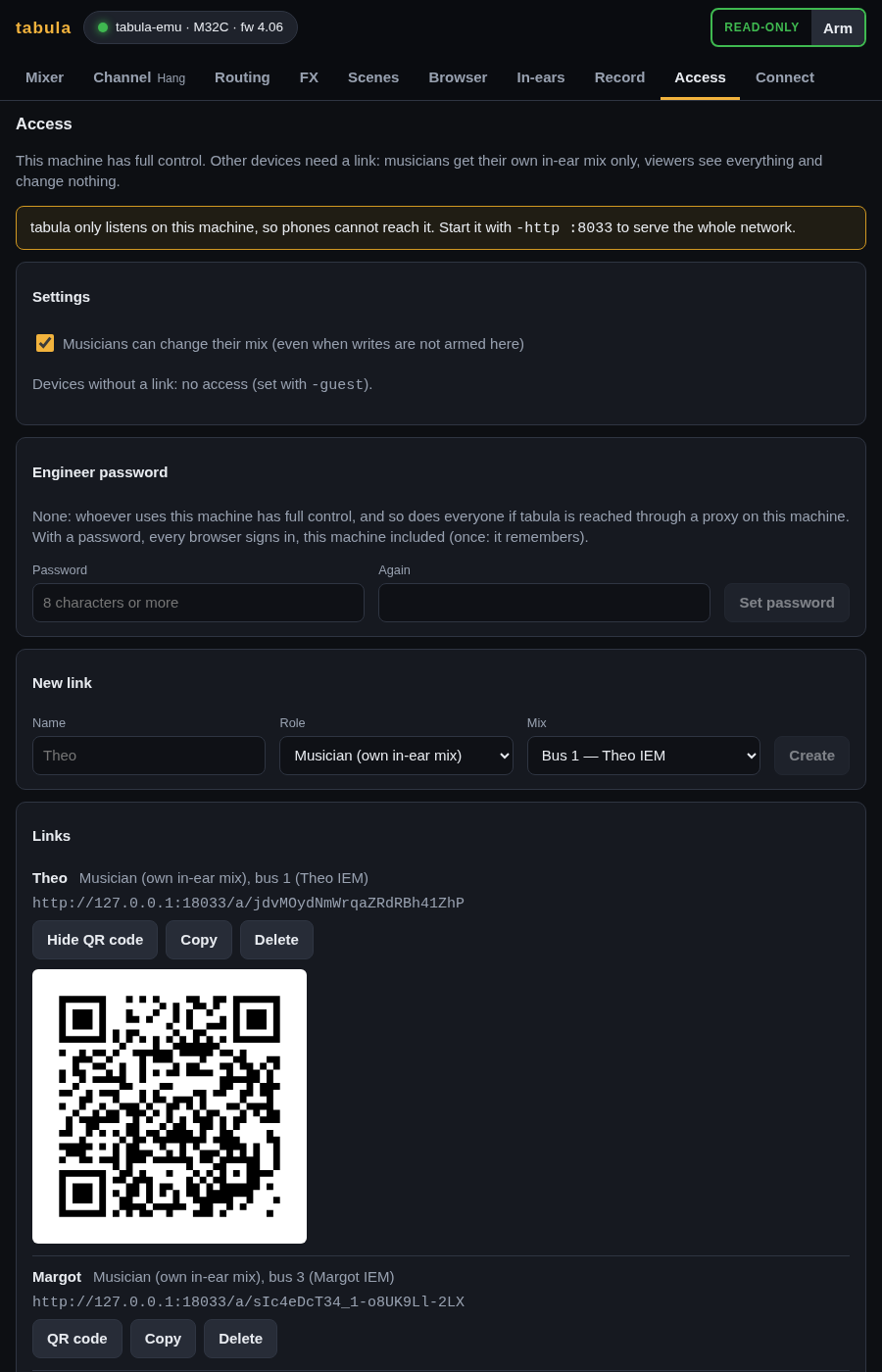
Links are made of the address of this machine and a secret: when the laptop has several addresses (Wi-Fi and Ethernet), pick the one the phones use in Links use.
The musician’s page
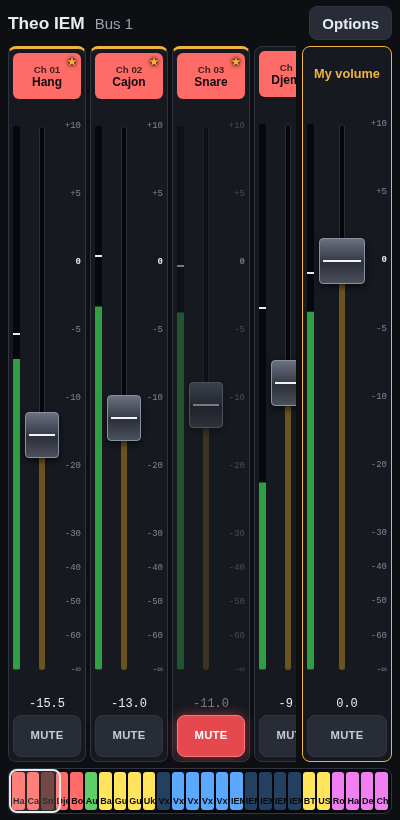
The page is a small desk filling the phone’s screen:
- One column per source sending to their bus: its name and colour as on the console, its meter, a tall fader for its level in the mix, and MUTE (the send’s switch; lit red when the source is out of the mix).
- The faders move by dragging anywhere along them, never jumping to the finger, so a tap on stage does not blast the mix; a longer travel means finer steps.
- My volume, always on the right, is the fader and mute of their bus, with its meter.
- The bar at the bottom shows every source in its colour, with a frame around those in view: drag along it to slide through the sources. Swiping over the names and buttons scrolls too, but a swipe over a fader moves the fader.
- Two linked channels (a stereo keyboard, two guitar mics) are one column: the console keeps the sends of a linked pair in step.
- ★ keeps a source on the left (their own voice, the bass…), remembered on the phone. Sources without a name are hidden (Options → Show unnamed sources shows them).
- A stereo in-ear mix (two linked buses) has a pan slider per source; the musician changes the odd bus and the console moves the other one. A stereo source keeps the pans set on the console.
- Options → Keep the screen on works when the browser allows it, which needs HTTPS: over plain HTTP on the local network, set the phone’s screen timeout instead.
- Options → Leave forgets the access on that phone.
Musicians change their mix even when writes are not armed on the engineer’s side, as long as Musicians can change their mix is on (the default) on the Access page. Turning it off makes every musician page read-only at once. The engineer can see any mix as its musician does on the In-ears page.
A musician cannot change anything else: not the send taps (pre/post), not
another musician’s mix, not the channels themselves. tabula checks every
write, so this holds for anything talking to its API, not only its pages.
Managing links
- Delete ends an access at once: the pages opened with it stop and show “no access”.
- Accesses are kept in
access.json(or the file given with-access), readable by its owner only since it holds the secrets. - Changes made through a link are recorded with its name (
web Theo) in recorded sessions, so a replay shows who moved what.
Engineer password
Without a password, whoever uses the machine running tabula has full
control. Set one in Engineer password on the Access page (8 characters
or more) and every browser has to sign in with it to be the engineer, the
machine itself included; a browser stays signed in (a cookie) until it
signs out.
-
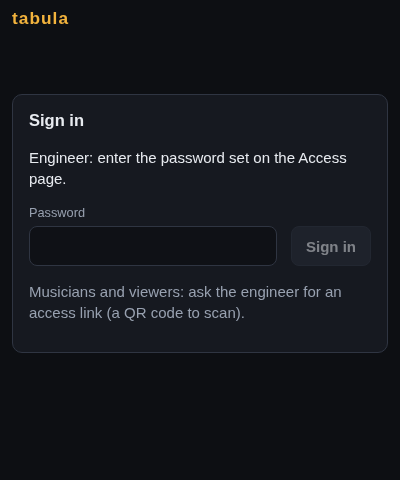
A browser without access shows the sign-in page: the engineer types the password there. Musicians and viewers still use their links, which work as before (and so do engineer links).
- Setting the password signs in the browser that sets it, so the engineer is not locked out.
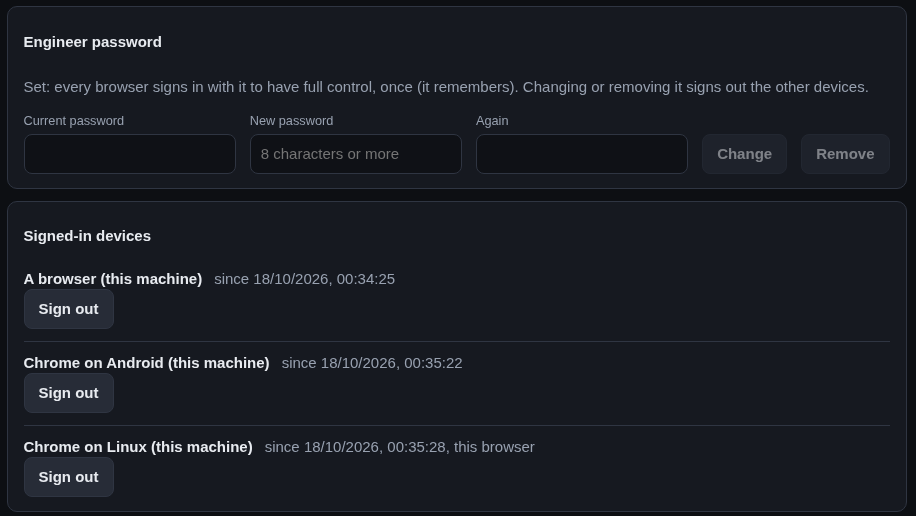
- Signed-in devices lists the browsers signed in with the password (named after the browser, its system and its address); Sign out ends one at once, its pages included. Sign out in the top bar ends the session of this browser.
- Changing the password (it needs the current one) or removing it signs out every other device.
- Wrong passwords are slowed down: after 5 in a row a device waits 30 seconds, then twice as long after each further one.
- The password is kept as a salted hash (PBKDF2-SHA256) in
access.json, never in clear. - Lost it? Stop
tabulaand runtabula -reset-password(with the same-accessfile if you use one): the password and the signed-in devices are removed, the links are kept, and the machine is the engineer again. - A password and
-guest engineer(everyone is the engineer) do not go together:tabularefuses to start with both, and the Access page does not offer the password then.
Security
tabula uses plain HTTP on the local network. Anyone holding a link, or
able to read the network traffic, has that access (the password included,
when signing in from another device); delete a link to revoke it. Without
an engineer password, every request from the machine itself is the
engineer’s: anyone at the laptop has full control, and behind a reverse
proxy on that machine (to add HTTPS, say) every request comes from the
machine itself, so every device would be the engineer: set a password
then. In any case, do not expose tabula beyond the band’s network (no port
forwarding). An engineer link or a session from another device controls
the console and the recordings but cannot make tabula run a program of
its choice: a custom audio recorder command is only accepted from the
engineer on the machine itself (signed in there when a password is set;
behind a reverse proxy, from any engineer).
Other sites. A web page of any site open in a browser of the laptop
sends its requests from the laptop too. tabula refuses what such a page
could do with it:
- A request that changes something (a write, a link, the password, the
recorder) coming from a page of another site is refused: the browser says
where a request comes from (
Sec-Fetch-Site,Origin). Requests without those headers, fromcurlor a script, are not browser pages and pass. tabulaanswers only to the names it knows: IP addresses,localhost, this machine’s name (andname.local). A site could otherwise make its own name lead to the laptop (DNS rebinding) and read the answers as if it weretabula. To open it by another name (a DNS name on the band’s network, a reverse proxy’s), start it with-allowed-hosts tabula.lan; any other name gets a page saying so.
See the HTTP API for the endpoints.