tabula
Tools for Behringer X32 / Midas M32 consoles — emulator, remote GUI, show recording.
tabula
Tools for Behringer X32 / Midas M32 digital consoles, written in Go.
Download
The latest build, made from the main branch each time its tests pass:
| System | Download |
|---|---|
| Linux, x86-64 | tabula-linux-amd64.tar.gz |
| Linux, ARM 64-bit (Raspberry Pi 3/4/5 with a 64-bit system) | tabula-linux-arm64.tar.gz |
| Linux, ARM 32-bit (Raspberry Pi 2 or later with a 32-bit system) | tabula-linux-arm.tar.gz |
| macOS, Apple silicon | tabula-darwin-arm64.tar.gz |
| macOS, Intel | tabula-darwin-amd64.tar.gz |
| Windows, x86-64 | tabula-windows-amd64.zip |
Each archive holds both programs, tabula-emu and tabula, with the web GUI
built in: unpack it and run them, nothing to install. Checksums:
SHA256SUMS. On macOS, the binaries are not signed: allow
them once with xattr -d com.apple.quarantine tabula tabula-emu.
Versioned releases, with their notes, are on the releases page.
tabula-emu — a console on your laptop
tabula-emu speaks the console’s OSC protocol on UDP port 10023, so remote
apps — X32-Edit, M32-Edit, Mixing Station, the tabula client — can connect to
it as if it were a console. Use it to prepare a show offline, to develop and
test software, or to learn the console without one.
tabula-emu -scene my-show.scn -save my-show.scn -http :8032
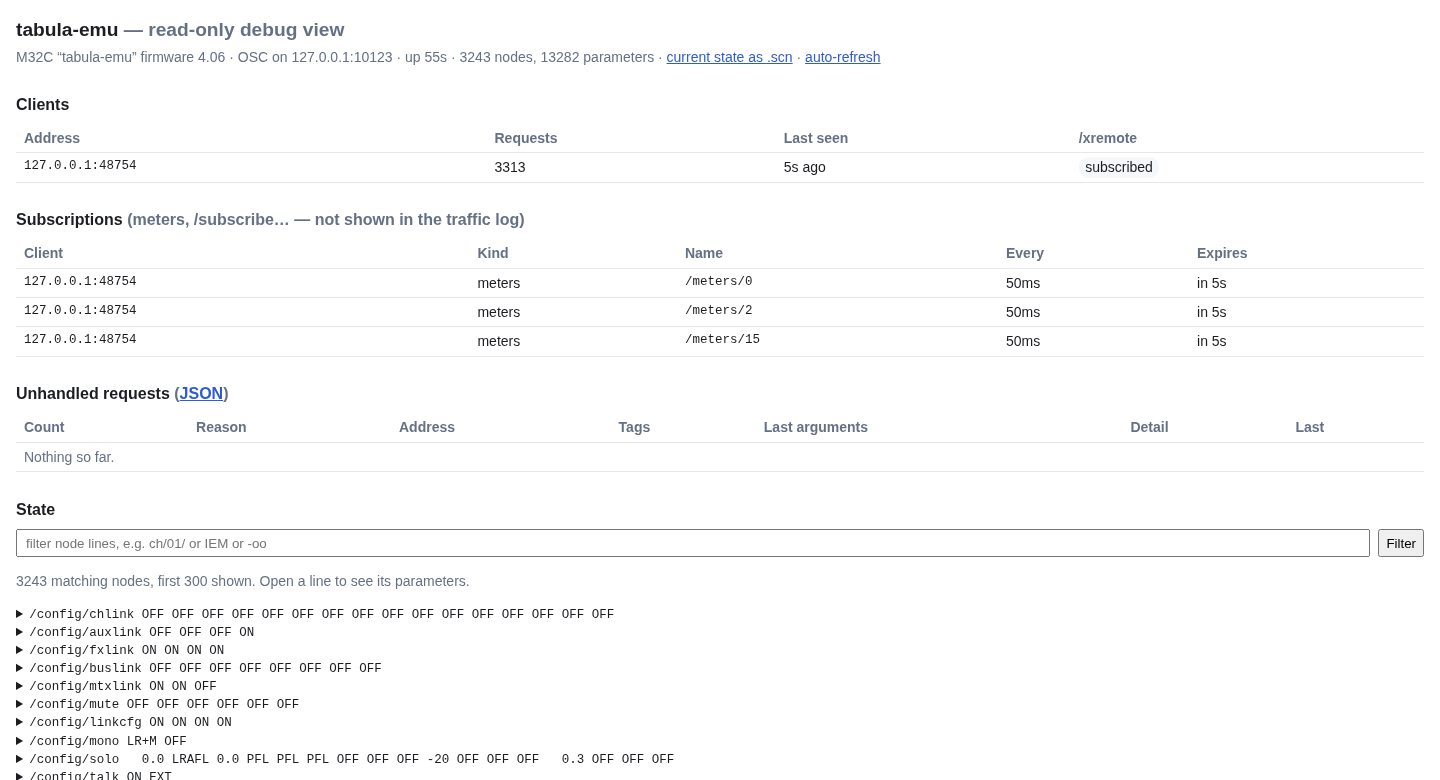
-sceneloads a scene file at start,-savewrites the state back on exit.-httpopens a read-only debug page: every parameter (searchable), the connected clients, the traffic, and every request the emulator did not understand — connect an editor and see what is missing.-unhandled-log file.jsonlappends every unhandled request to a file.-library dirkeeps the scenes, snippets and presets saved with/save(from an editor’s library pages) in a directory, one file each (scene-07.scn,snippet-03.snp…). A scene file copied there asscene-NN.scnfills slot NN, ready to recall from an editor or from tabula’s Scenes page.-modelpicks what/inforeports: X32, X32RACK, X32C, X32P, X32CORE, M32, M32R, M32C.
What works today
- Every parameter of a scene file: configuration and routing, 32 channels, 8 aux ins, 8 FX returns, 16 buses, 6 matrices, main LR and mono, 8 DCAs, FX slots with the parameters of all 61 effects, outputs, 128 headamps.
/info,/xinfo,/status, get and set of every parameter (enums by name or index, floats quantized to the console’s known values), node sets with multiple type tags,/node,/(echoed), and/xremote: changes are pushed to the other connected clients.- Real scenes round-trip byte for byte, also when dumped over the network
with Patrick-Gilles Maillot’s
X32GetScene. - The scene, snippet and preset library:
/save,/load,/copy,/delete,/rename,/add,/showdump. - Preferences and status (
/-prefs,/-stat,/-show,/-libs,/-usb,/-urec,/-action…), as the editors query them when connecting. - Meters (
/meters/0…16) with synthetic levels that follow the mix, and/subscribe,/formatsubscribe,/batchsubscribe,/renew,/unsubscribe. - The RTA of the source an editor selects (a channel, a bus, a graphic EQ…), shaped by the low cut, the EQ and the graphic EQ.
- Linked channels, aux inputs, FX returns, buses and matrices kept in step as the console does, following the link options.
How the emulator simulates the console: audio flow, meters, RTA, effects, and exactly what linking two strips does.
Not yet
Scene safes and snippet filters on recall: see the plan.
tabula — the client
tabula connects to a console (or to tabula-emu) and serves a web GUI,
from the same binary, to any browser on the network — a laptop at the desk
or a phone on stage.
tabula -console 192.168.1.62 -http :8033
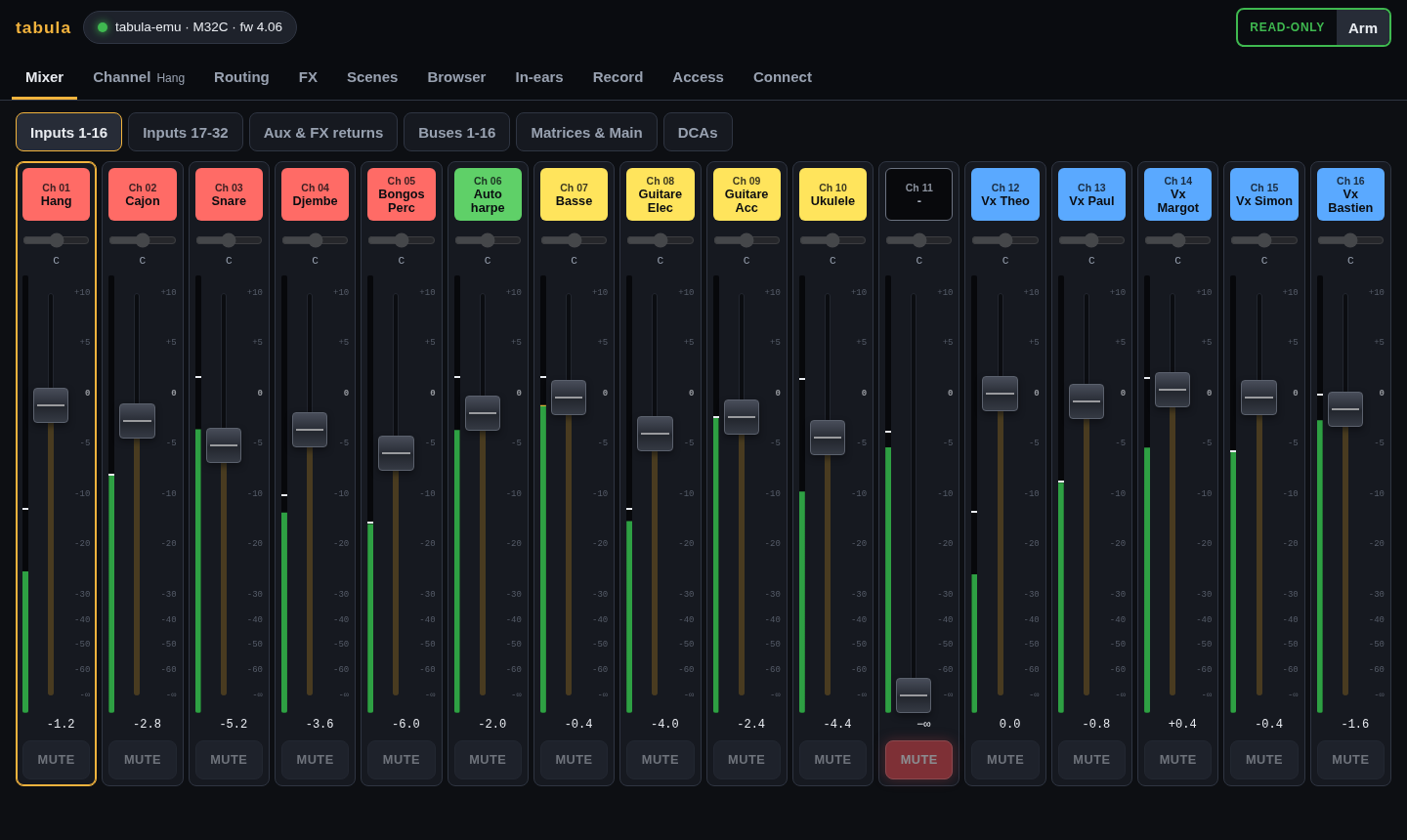
- Mixer: banks of strips (inputs, aux and FX returns, buses, matrices and mains, DCAs) with scribble strips in the console colours, meters, faders, mutes and pans; linked pairs show as one stereo strip.
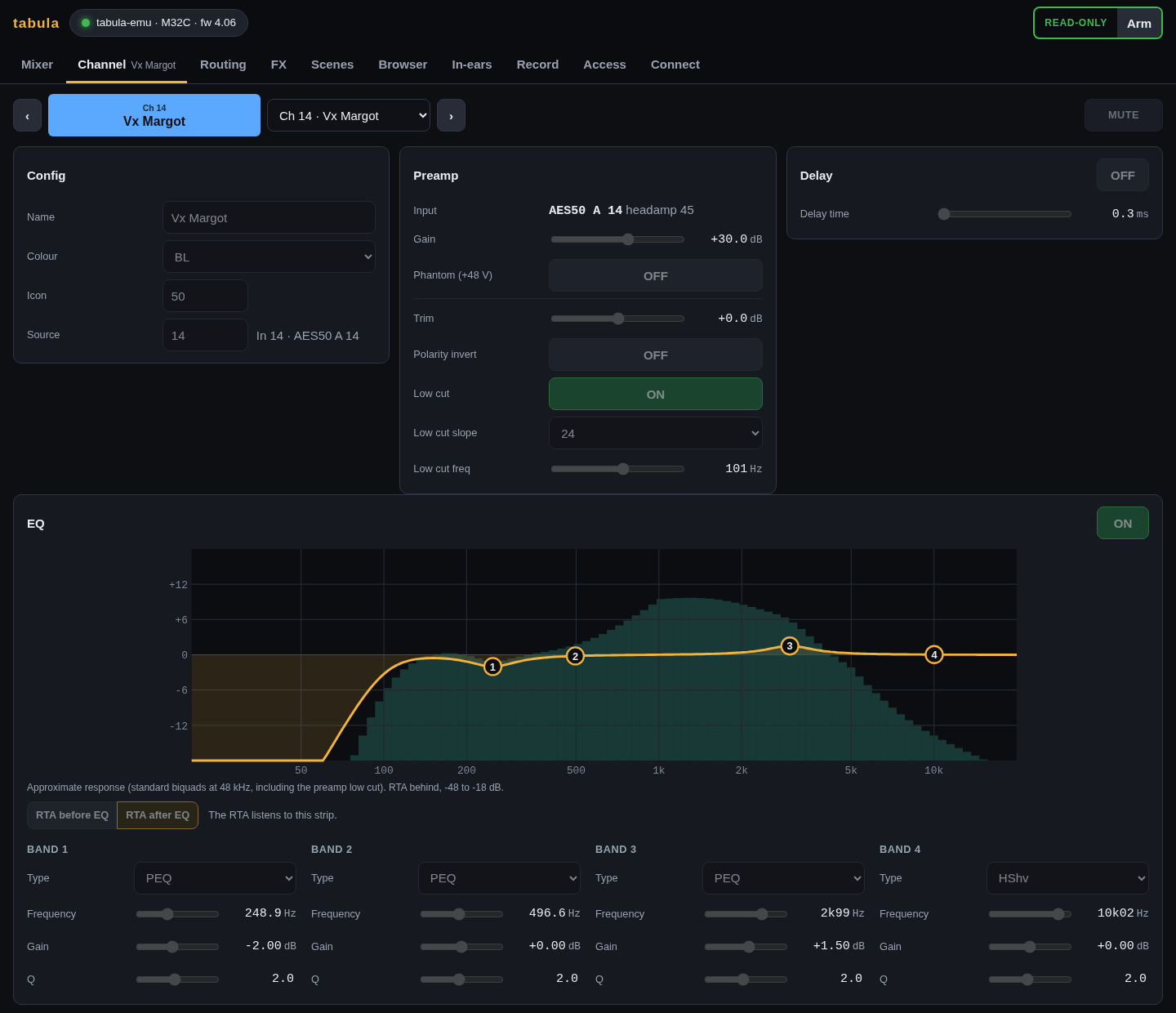
- Channel: everything about one strip — config, preamp with the headamp feeding it (which input, gain, phantom power), gate, dynamics, EQ with its (approximate) response curve and the RTA, sends with the bus names.
- Routing: the input patch (which stage box input feeds which channel, with its headamp), the outputs and where each one goes, and what each output port carries — AES50 A and B (a DL32’s outputs), the card’s tracks, P16, aux, AES/EBU — with the names of the buses, matrices and channels.
- FX: the 8 effect slots and where each is used (fed by a bus, inserted on a strip), an editor per slot with the effect’s parameters, and a graphic EQ editor with the RTA behind the bands; the RTA also shows behind a channel’s EQ curve.
- Scenes: the scenes, snippets and presets the console holds; recall (after a confirmation), save, rename, copy and delete them, load channel presets onto a strip and effect presets into a slot.
- Browser: every parameter of the console as a tree of its paths
(
ch→01→eq→1), searchable by path or value, each with an editor; values can also be typed as on the console (-6,1k20,GATE). - Record: record a show (snapshot plus every change, with markers) and replay it onto the console or the emulator. With the console’s USB card, the audio tracks are recorded too, one WAV file each, in sync with the console moves, ready for Audacity or Reaper. See recording a show.
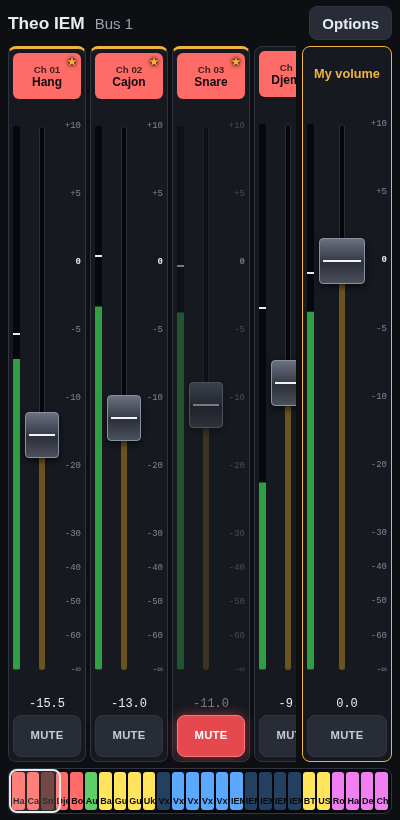
- In-ear mixes for the band: each musician scans a QR code and gets their own mix on their phone, and nothing else; viewers watch without touching. An optional engineer password protects full control, on the laptop too. See access.
- Connect: find consoles on the network or type an address.
It is read-only until writes are armed, after a confirmation: on a real
console, nothing moves by accident. Every page of the GUI in
detail. -record starts recording as soon as the console is synced, for
unattended recording of a concert (-audio-device hw:CARD=X32,DEV=0
-audio-tracks 1-16 adds the audio).
Later: more band-specific screens.
Reference
The protocol work relies on Patrick-Gilles Maillot’s Unofficial X32/M32 OSC Remote Protocol and his tools: https://sites.google.com/site/patrickmaillot/x32.
Source code: https://github.com/yoda-jm/tabula